In this small guide you will learn how to remove items from your Steam wishlist. The remove button is very hidden or not clearly visible and it might be that you can’t find it, but after reading this article you will know how to remove games from the Steam wishlist. Let’s take a look and remove a game from the wishlist.
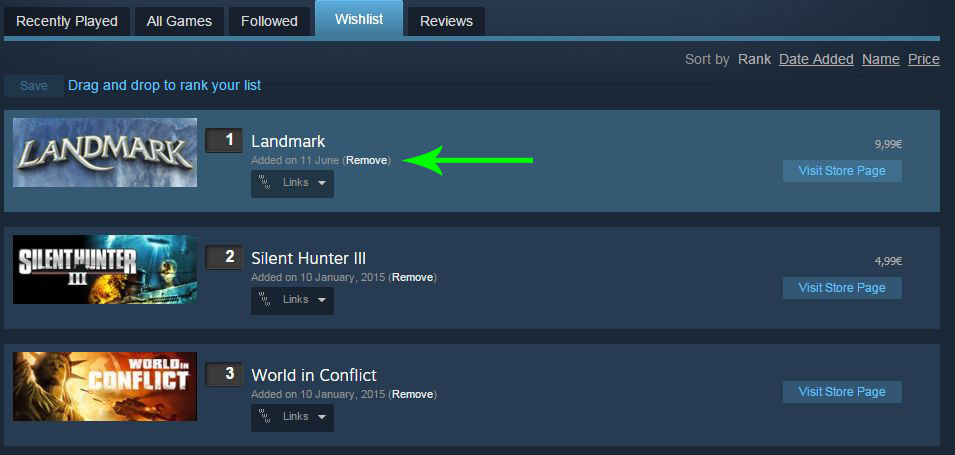
First of all you need to log in with your Steam client. After that you need to move your mouse over your profile link within the Steam client, it’s your big account name that you can see in the client. A menu should pop up where you click on “profile”. Scroll down in your profile until you find the link “Wishlist” at the bottom, click on it. In the wishlist you should now see all the games you added, and beside each game thumbnail there is a small and not clearly visible “remove” link. That’s how you can remove games from the Steam wishlist. Take a look at the following screenshot, I drew a green arrow beside the “remove” link so that you know where it is…
 Diary of Dennis